Distributed Chat Application
View my code on GitHub
Techstack:
C++, Apache Kafka, Apache Cassandra, Docker, Javascript, CSSProject Summary
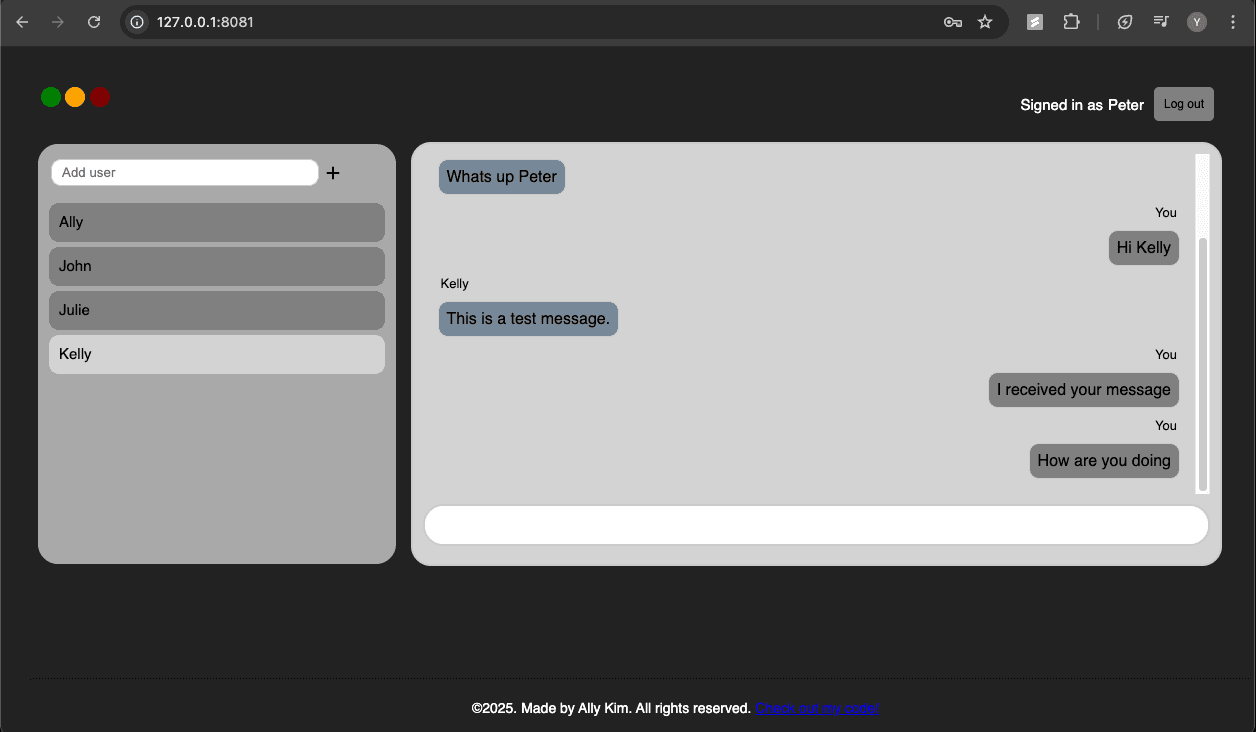
This is a high-performance, full-stack distributed chat application built for real-time messaging. It features user authentication and message persistence using Apache Cassandra, a distributed wide-column store. The application is horizontally scalable via Kafka and custom partitioning logic, ensuring chat messages are delivered with minimal latency. The backend server is written entirely using C++, leveraging raw TCP sockets and event-driven architecture to handle efficient message routing. The web server is multi-threaded to handle concurrent client connections, and handles WebSocket connections, HTTP requests, and user authentication. It is built with C++, vanilla JavaScript, and CSS.
Screenshots
System Architecture
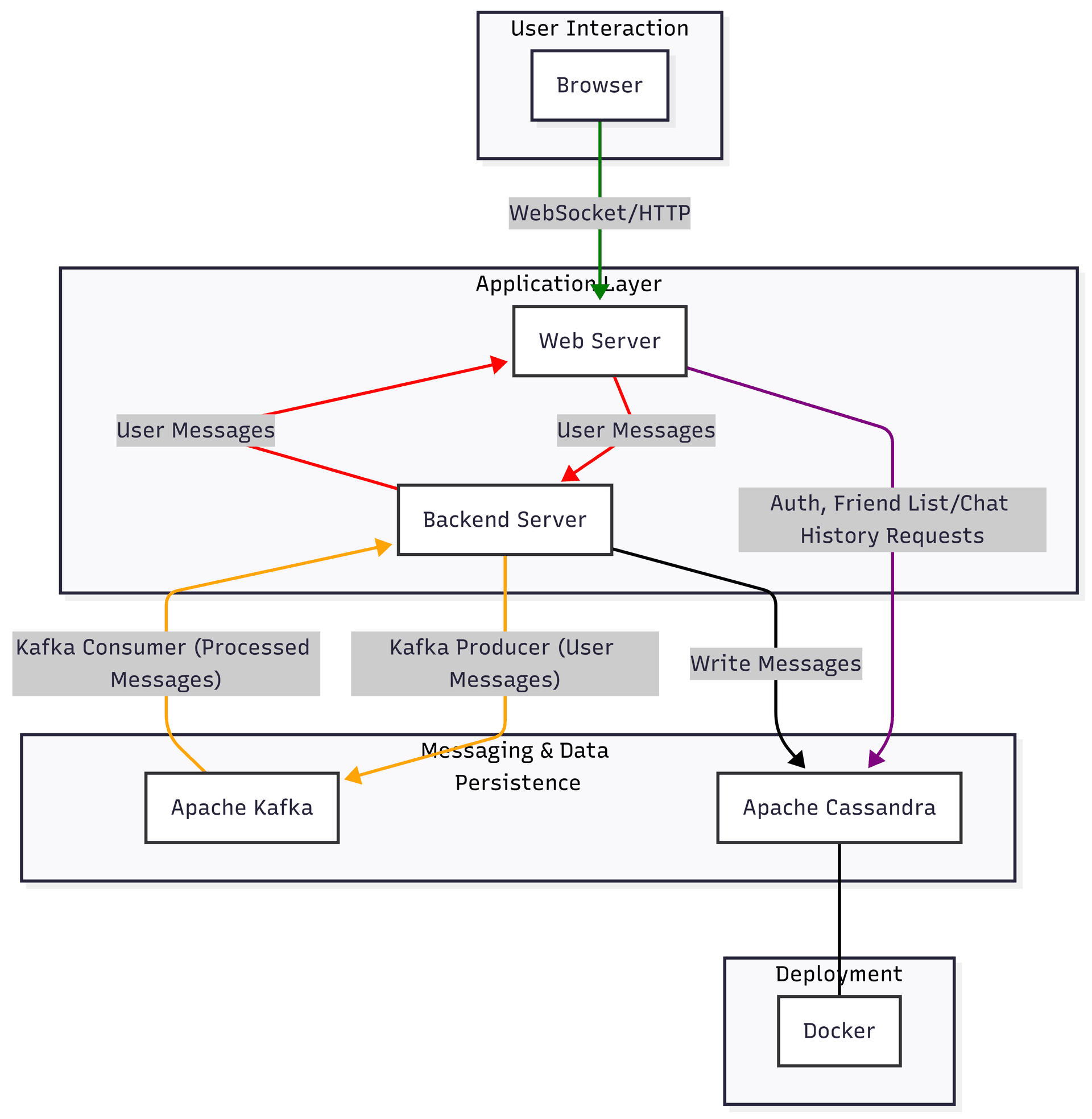
Key Points:
- Backend server creates Kafka producer and consumer clients to send and receive messages. Based on connected user IDs, backend serve dynamically subscribes/unsubscribes to the appropriate Kafka topic partition.
- Backend uses event-driven architecture with select() to handle concurrent frontend connections and incoming messages. Separate thread is used to handle Kafka message delivery and data writes to Cassandra.
- Frontend uses multi-threading to handle multiple client connections. TCP pool is used to handle backend connections.
How to Run
- Install dependencies: Apache Kafka, Apache Cassandra, C++ build tools
- Set up Kafka cluster: set Kafka topic, number of partitions, replication factor, and portbin/kafka-topics.sh --create \ --topic chat_messages \ --partitions 3 \ --replication-factor 3 \ --bootstrap-server localhost:9092
- For each Kafka broker, format storage directorybin/kafka-storage.sh format -t $(bin/kafka-storage.sh random-uuid) -c config/server-1.properties
- Start each Kafka broker instancebin/kafka-server-start.sh config/server-1.properties
- Install Docker, pull Cassandra Docker image, and run Cassandra using a specific portdocker run --name my-cassandra -p 9042:9042 -d cassandra:latest
- Set up CassandraDB keyspace and tables using built-int cqlsh client
- Compile the frontend and backend C++ servers using MakefilesEx. make all
- Run backend server, providing IP, port, and server ID./backendserver -v [IP:port] [serverID]
- Run frontend server, providing backend IP and port, frontend server IP and port, and server ID./frontend_server_real [backend IP:port] [frontend IP:accept client port:connect to backend port] [frontend-server-ID]